
THE MY SHADOW ONLINE JOURNAL · ADMINISTRATIVE SUPPORT
A Monthly Admin Checklist for Small Businesses: Keep Recurring Work Under Control
A calmer month starts with a clearer routine.

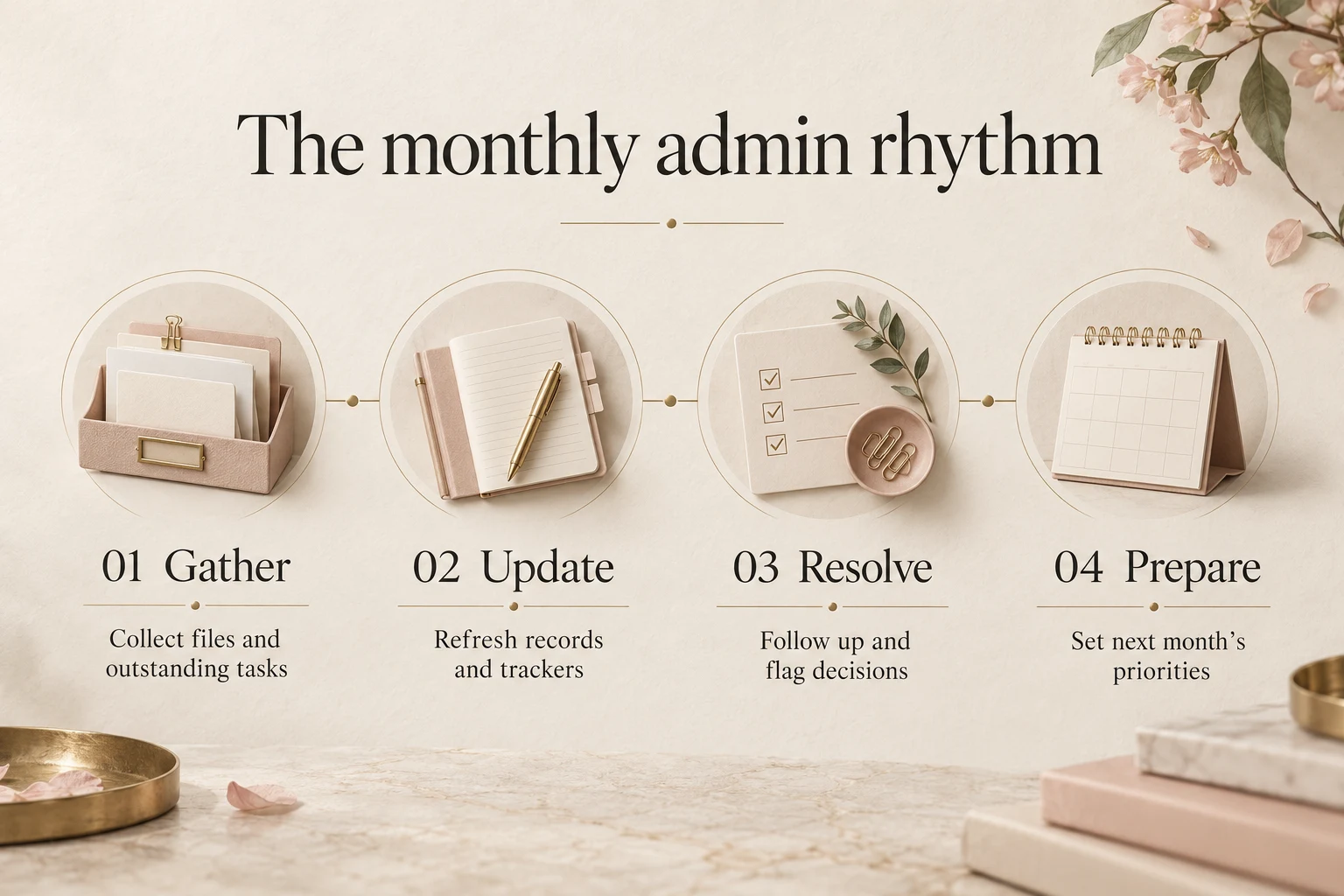
A useful monthly admin checklist brings four things together: current records, outstanding actions, decisions that need an owner and preparation for the month ahead. Give each item a deadline and a clear definition of done. That turns a reminder list into a working routine someone can actually follow.
Small-business admin rarely arrives in neat batches. A document needs updating, a client has not sent an attachment, a report is waiting for figures and next month’s appointments are already moving. Individually, these tasks look manageable. Together, they create a constant background hum of unfinished work.
The aim of a monthly reset is to make that work visible and easier to hand over. You can run the routine yourself or agree recurring administrative support with an assistant. The checklist below is an operational framework to adapt, rather than a promise about any particular service package.
1. Set a cut-off date and gather the inputs
Choose the period your checklist covers. Does your monthly report use calendar-month activity, or a different internal reporting cycle? Write the cut-off date at the top so nobody mixes information from different periods.
Gather the source files in an agreed workspace. That might include meeting notes, operational trackers, client-information requests, approved templates and the previous month’s summary. Identify the current versions and list anything still missing.
For each missing input, record an owner, a request date and the date it is needed. This prevents a report from sitting quietly unfinished because one person thought another person was chasing the information.
Keep the routine proportionate. A small business may only need one shared folder and a simple tracker. Use the tools your team already understands before adding another system to maintain.
2. Bring records and documents up to date
Review the records used in everyday work. Check whether contact details, task statuses, document links and assigned owners still reflect what is happening. Focus on the information people rely on to take the next step.
Some updates can be made from approved source information. Others need confirmation. If two files show different client details, flag the conflict rather than choosing whichever looks newer. Give the person responsible enough context to resolve it.
A practical records check includes:
- Updating agreed fields from confirmed information.
- Flagging incomplete entries or possible duplicates for review.
- Checking that active documents have a clear owner and version.
- Moving superseded working copies into the agreed archive.
- Listing information that cannot be verified yet.
Use your platform’s version controls where appropriate. Microsoft’s guidance on viewing previous versions of Office files explains how version history works for files stored in OneDrive or SharePoint. This can support an orderly review trail if those are already your tools.
Agree who can change, archive or remove records. A monthly tidy-up should follow your established information-handling rules. It is not an instruction to delete anything that appears old.
3. Review outstanding work and follow-ups
Open actions deserve more attention than the total number of tasks completed. Look for overdue items, work waiting on information and decisions nobody has yet owned.
For each item, ask: is the next action clear? “Waiting” is not enough. “Waiting for the client to confirm the delivery contact; follow up on Tuesday” tells someone what to do.
Separate items your assistant can progress from items needing your approval. Routine reminders may sit within an agreed workflow. Approving a cost, changing a commitment or deciding which client request takes priority may remain with you.
For example, a document request tracker might show three illustrative situations: one client needs a reminder, one has supplied an incomplete file and one needs the business owner to clarify the requirement. These are examples of workflow decisions, not actual My Shadow Online client cases.
Agree how often reminders should be sent and when a stalled item should be escalated. Repeated chasing without a limit can take up time without moving the work forward.
4. Prepare a short monthly summary
A monthly summary should help the reader decide what needs attention. Avoid copying every tracker row into a report merely because the information exists.
For a straightforward operational review, use four sections:
- Completed: significant outputs finished during the period.
- Outstanding: open work, its owner and the next action.
- Decisions needed: the specific question and the date an answer is required.
- Next month: known deadlines, recurring tasks and capacity concerns.
Be explicit about missing information. If a figure or status has not been confirmed, label it accordingly. Presenting an incomplete summary clearly is more useful than making it appear complete through assumptions.
Ask the reviewer which details they actually use. If the same section never leads to a decision or action, it may need simplifying. If important questions keep arriving after the report, add the missing context to the template.
5. Prepare next month’s calendar and workload
Look ahead before the current month closes. Add recurring tasks, known meetings, document deadlines and planned absences to the agreed calendar or task list.
Where work is remote, include the time zone beside deadlines. A Johannesburg-based team might use SAST, UTC+2, while colleagues elsewhere need a shared understanding of when an input or approval is due.
For October, this is also a useful moment to discuss year-end availability if it affects your business. Confirm leave plans and handover dates instead of assuming everyone follows the same holiday schedule.
Check whether the person assigned to a task will have the inputs and authority to complete it. A deadline without an available reviewer or an approved source file is a dependency to address now.
A monthly checklist you can copy
Use these entries as a starting point. Add an owner, due date and file link beside each one:
- Confirm the reporting period and cut-off date.
- Collect current source files and log missing inputs.
- Update approved records and flag conflicting information.
- Review active documents and archive agreed superseded copies.
- Refresh the outstanding-action tracker.
- Send agreed follow-ups and escalate stalled items.
- Prepare the monthly summary and decision list.
- Confirm upcoming deadlines and planned absences.
- Obtain the relevant review and record any changes.
- Carry open items into the next cycle with a named owner.
What can you delegate to administrative support?
Recurring document preparation, spreadsheet updates, task scheduling and agreed follow-ups can be suitable starting points. You retain the decisions that require business authority, while the assistant works within your instructions and access permissions.
My Shadow Online’s administrative support service covers documentation, reporting, data entry and recurring business tasks. Discuss the volume, frequency, source files and review requirements so the team can confirm a suitable scope.
If you are introducing support for the first time, the first-week assistant handover guide helps you establish a practical working routine. A separate document clean-up with a defined finish line may instead benefit from a clear project brief.
✦ A FEW USEFUL ANSWERS
Frequently asked questions
Should every admin task wait until month-end?
No. Time-sensitive tasks need their own daily or weekly rhythm. The monthly checklist consolidates records, reviews open work and prepares the next cycle; it should not delay a client response or an urgent deadline.
How long should the monthly routine take?
That depends on the volume of work, the condition of the records and how quickly inputs arrive. Track the first cycle and use that experience to agree a realistic workload. Avoid assuming a fixed number of hours will fit every business.
Can an assistant prepare the report without making business decisions?
Yes, if the brief distinguishes information preparation from approval. Define the sources, format and escalation points. The appropriate business owner reviews the information and makes the decisions.
What if we already have a large backlog?
Separate the initial clean-up from the recurring monthly routine. List the backlog, agree priorities and confirm whether it needs a distinct project scope before adding it to regular support.
Give recurring admin a reliable home
Start with the tasks that come back every month and the files your team already uses. A manageable routine with clear owners is easier to maintain than an ambitious checklist nobody has time to finish.
To discuss remote administrative support, email info@myshadowonline.com or request a custom quote. Tell My Shadow Online what repeats each month, what is currently overdue and which outputs would make the biggest difference to your working day.